
The short answer
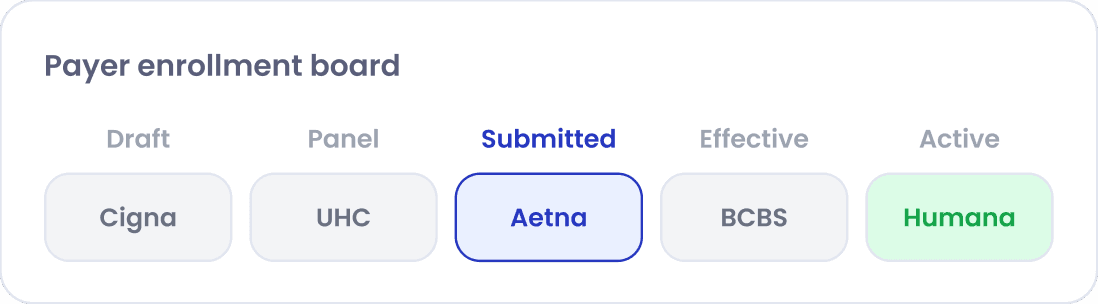
Payer enrollment—also called provider enrollment—is the process of getting a provider set up with a health plan such as Medicare, Medicaid or a commercial payer so the plan recognizes the provider and pays their claims. For commercial plans it usually combines the plan's credentialing review, a contract or addendum, and loading the provider into the plan's systems with an effective date. Payer enrollment automation means software that removes repetitive work such as re-keying data, tracking status and following up; it does not shorten the payer's own review time.
01
Payer enrollment in plain terms
Before a health plan pays a claim, it needs to know who the provider is, that they meet the plan's requirements, where they practice, which entity bills for them and from what date. Payer enrollment is the work of establishing all of that with each plan.
The terms are used loosely. “Provider enrollment” often refers to Medicare and Medicaid; “payer enrollment” or “payer credentialing” to commercial plans. Whatever the label, the work multiplies: every provider must be enrolled with every relevant payer, often for each practice location and billing entity. A group adding five clinicians across eight payers is managing forty separate enrollments.
02
Government vs. commercial enrollment
Medicare enrollment is submitted online through PECOS or on the CMS-855 applications and processed by the Medicare Administrative Contractor for the region; the CMS-855 map explains which application applies. Approved providers receive billing privileges, a Medicare identifier (PTAN) and an effective date, and must revalidate periodically.
Medicaid enrollment is handled by each state program, with its own forms, portal and requirements. Providers who order, refer or prescribe for Medicaid beneficiaries generally need to be enrolled even if they do not bill directly. Medicaid managed care and Medicare Advantage plans typically have their own credentialing and contracting on top of program enrollment.
Commercial plans set their own processes. Many use CAQH ProView to collect provider data, then run their own credentialing review, offer or extend a participation agreement, and load the provider into claims and directory systems.
03
The steps of a typical commercial enrollment
Commercial enrollment usually follows this order, though each payer has its own variations:
- Confirm the billing arrangement and path—individual, group or delegated roster (enrollment paths).
- Check whether the payer's network is open for the specialty and location.
- Update and re-attest the provider's CAQH ProView profile and authorize the payer.
- Submit the payer's application or request to join the network.
- Respond to information requests while the payer credentials the provider.
- Execute the participation agreement, or add the provider to the group's existing agreement.
- Confirm the provider is loaded with the correct effective date, locations and specialties.
- Test with a first claim and confirm the provider appears correctly in the payer's directory.
04
Effective dates and why they matter
The effective date is when the payer begins recognizing the provider for claims. Many commercial plans do not pay for services before that date, and policies on retroactive effective dates vary by plan and contract.
For Medicare, the effective date of billing privileges for physicians and non-physician practitioners is tied to when an application that the contractor can process was filed and when the provider began furnishing services at the location, with limited retrospective billing in certain circumstances under 42 CFR Part 424, Subpart P. In practice, both rules point the same way: submit early, and track effective dates as carefully as approvals. Our guide to reducing revenue at risk covers how to keep pending enrollments visible.
05
What payer enrollment automation means
Payer enrollment automation is software that takes repetitive, error-prone steps off the enrollment team. In practice that usually includes:
- Storing provider data and documents once and reusing them across applications
- Pre-filling forms and payer-specific templates from the provider profile
- Tracking every provider × payer application with a stage, owner and next action
- Scheduling follow-ups and flagging applications with no recent activity
- Alerting when a document needed mid-application is about to expire
- Generating rosters and status reports for clients, billing teams or payers
- Keeping an audit trail of submissions, calls and payer responses
06
The limits of automation
Automation changes how much effort each enrollment takes and how quickly problems are noticed. It does not change the parts of enrollment that sit with the payer or require judgment:
- Payer credentialing and processing times
- Closed or limited networks and contract negotiation
- Payer portals and forms that do not support automated submission
- Information requests that need a human answer
- Discrepancies in provider data that need investigation
Be wary of claims that software can enroll a provider with every payer in days. Realistic benefits are fewer errors, less re-keying, faster responses to payer requests and a clear view of what is pending—so staff time goes to the exceptions instead of status checks.
07
Questions to ask about your enrollment process
Whether you use software or spreadsheets, these questions show where enrollment is leaking time:
- Can we see every pending provider × payer enrollment, its owner and its next action in one place?
- Do we know each provider's target effective date, and which ones are at risk?
- How often do we follow up on submitted applications, and is that recorded?
- How quickly do we answer payer information requests?
- Is provider data consistent across CAQH, NPPES, PECOS and our own records?
Frequently asked questions
Is payer enrollment the same as credentialing?
No. Credentialing verifies a provider's qualifications. Enrollment sets the provider up with a payer for billing; for commercial plans it includes the plan's credentialing review plus contracting and loading.
How long does payer enrollment take?
It varies by payer, and commonly takes 90 to 120 days or more for commercial plans. Medicare processing times vary by Medicare Administrative Contractor and application type.
Can payer enrollment be fully automated?
Not fully. Software can automate data reuse, form preparation, tracking and follow-up reminders, but payer review, contracting and responses to information requests still involve people.
More quick answers in the credentialing FAQ.
Sources
Official pages this guide draws on. Requirements change—check the source for the current version.
- Medicare enrollment for providers & suppliersCenters for Medicare & Medicaid Services (CMS) (opens in a new tab)
- PECOS online enrollmentCenters for Medicare & Medicaid Services (CMS) (opens in a new tab)
- 42 CFR Part 424, Subpart P — Medicare enrollment requirementsElectronic Code of Federal Regulations (eCFR) (opens in a new tab)
- Medicaid program informationCenters for Medicare & Medicaid Services (Medicaid.gov) (opens in a new tab)
- CAQH ProViewCAQH (opens in a new tab)
- National Plan and Provider Enumeration System (NPPES)Centers for Medicare & Medicaid Services (CMS) (opens in a new tab)
Share this guide
General information for operations teams, not legal or compliance advice. Requirements vary by payer, state and accrediting body. Read our editorial standards.